
MARS REPA Overlap Validation
On this page:
Purpose
This tip sheet provides guidance on managing overlaps of scope in submissions lodged under Disaster Recovery Funding Arrangements (DRFA), Reconstruction of Essential Public Assets (REPA) funding.
MARS applies multiple data quality checks at a line item and submission level to identify overlapping scope across submissions.
MARS Overlap Validation during submission Development Checks:
- For partial or full overlapping chainage at an asset name/number level
- For overlapping similar treatment types
- For overlapping delivery line items for assets in delivery OR assets delivered
Validation procedure prior to lodgement
- Each validation must be addressed prior to lodgement either by amending submission data or providing a comment that explains the overlap.
- Where a validation message cannot be cleared through adjusting submission data, you must use the Comments column to address the overlap in detail.
- During all assessment phases, QRA will review the overlap validations and the comments provided, to make an informed assessment.
Note: Start to end chainage on every line on every asset in the submission should be ascending, at lodgement. If the submission is lodged with the start and end chainage in reverse, QRA will request that the submission is withdrawn and relodged with the chainage in the correct format.
Types of overlap validation messages
Overlapping treatment types still in delivery
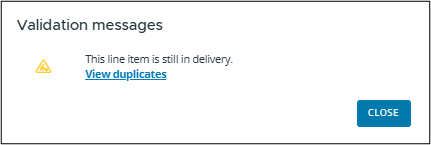
- This line item is still in delivery – This line item has an overlapping treatment type in another submission
- Click on the 'Validation messages', and then 'View duplicates'
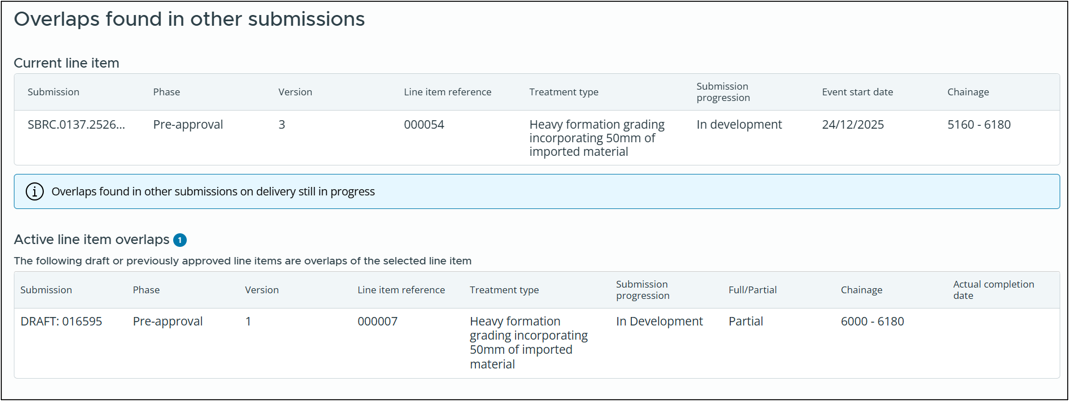
- The following window will pop up showing overlaps found in other submissions on delivery still in progress (Note: There may be multiple overlapping submissions that will appear)
- To open and view the overlapping submission, click anywhere on the information on the submission in the window, and a separate window will open to the submission
Overlapping delivery after the current event start date
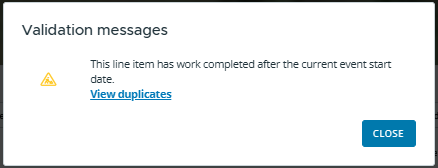
- This line item has an overlapping treatment type in another submission where works were delivered after the current event start date
- Click on the Validation messages, and then 'View duplicates'
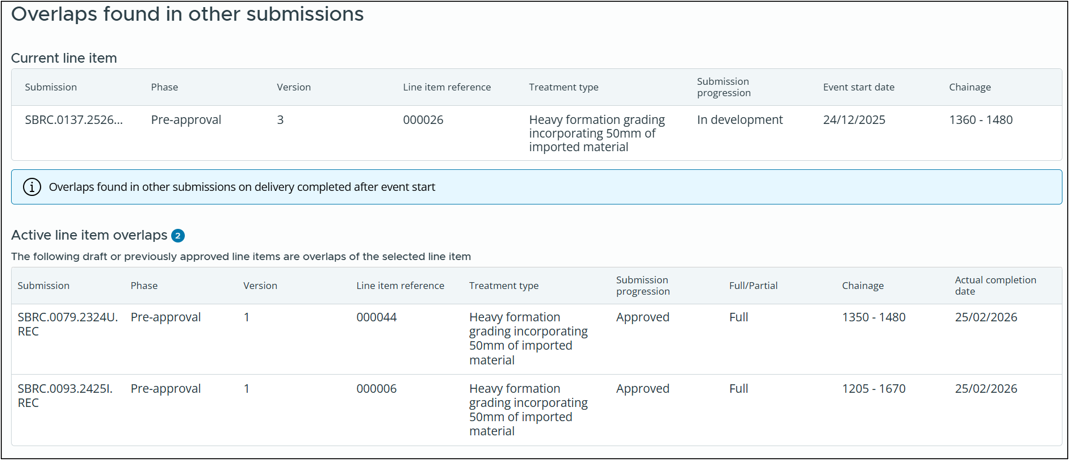
- The following window will pop up showing overlaps found in other submissions with delivery completed after the event start date
- To open and view the overlapping submission, click anywhere on the submission in the window, and a separate window will open to view the submission
Tips on reducing or avoiding overlap validations and queries
- The MARS overlap validation will check your latest MARS Progress Reporting information, as well as current and previous submission information.
- For submissions currently in development for a new event, any assets confirmed to be delivered prior to the new event through MARS Progress Reporting will not generate an overlap validation for comment.
- Update the Progress Report for earlier submissions with appropriate comments to address undelivered re-damaged assets.
- Accurate completion dates should reflect when the works were physically complete – it should not be based on accounting and invoice dates.
- Use the Comments column to explain why scope is claimed where there is an overlap with an earlier submission. For example:
- Scope was partially or fully completed on DD/MM/YYYY prior to the event, or prior to the post event evidence, and the asset was re-damaged after completion. Upload your previous completion evidence as pre-event evidence to support your claim.
- Scope was not completed in XYZ submission and rolled over to this event. Scope to be removed from XYZ submission.
- Enable an early Close-Out, or Close-Out draft, prior to validating and finalising the latest submission to be lodged.
- Remove scope not delivered or upload a completion photo as evidence the works were completed and update your comments in your current submission to reflect this.
- Remove overlaps by adjusting the submission and then revalidating.
- Refer to Tip sheet 6 for acceptable pre-disaster and post-disaster asset condition evidence.
- Refer to Tip sheet 7 for guidance on re-damaged assets and rollovers.
Need help? Contact your QRA Regional Liaison Officer (RLO)